How Do I Find And Sign In To Social Security Page: A Step-By-Step Digital Guide
Unlock your retirement data without getting lost in a maze of government red tape. We explain exactly how to access your Social Security dashboard so you can check your benefits and get back to your day.

In an era where digital security is paramount, accessing your federal benefits has evolved from simple usernames to robust identity verification systems, making the question of “How Do I Find and Sign in to Social Security Page” more relevant than ever for millions of Americans. To begin this process, you must navigate to the official Social Security Administration website, commonly known as SSA.gov, which serves as the primary portal for all your retirement, disability, and supplemental security income needs. Unlike in previous years where you might have had a direct SSA username, the modern interface now mandates the use of trusted credential service providers like Login.gov or ID.me to ensure that your sensitive financial data remains secure against identity theft and fraud. This transition to a “my Social Security” account allows you to seamlessly verify your earnings history, check your application status, and even request a replacement Social Security card without ever stepping foot inside a physical field office. Understanding this digital ecosystem is critical because these unified login portals are now the standard across federal agencies, meaning the account you create here will likely be your key to other government services, streamlining your administrative life significantly.
The first step in your journey is ensuring you are on the legitimate government site. Scammers often create lookalike websites to harvest personal data, so it is vital to check your browser’s address bar.
You should always type www.ssa.gov directly into your browser. Once the homepage loads, look for the “my Social Security” icon or the “Sign In/Up” button, typically located in the top right corner of the screen. This section is distinct from the general informational pages; it is the secure gateway where your personal data lives. If you search via a search engine, ensure the URL ends in .gov before clicking, as this is the hallmark of an official United States federal government website.
The Mandatory Shift To Login.gov And ID.me
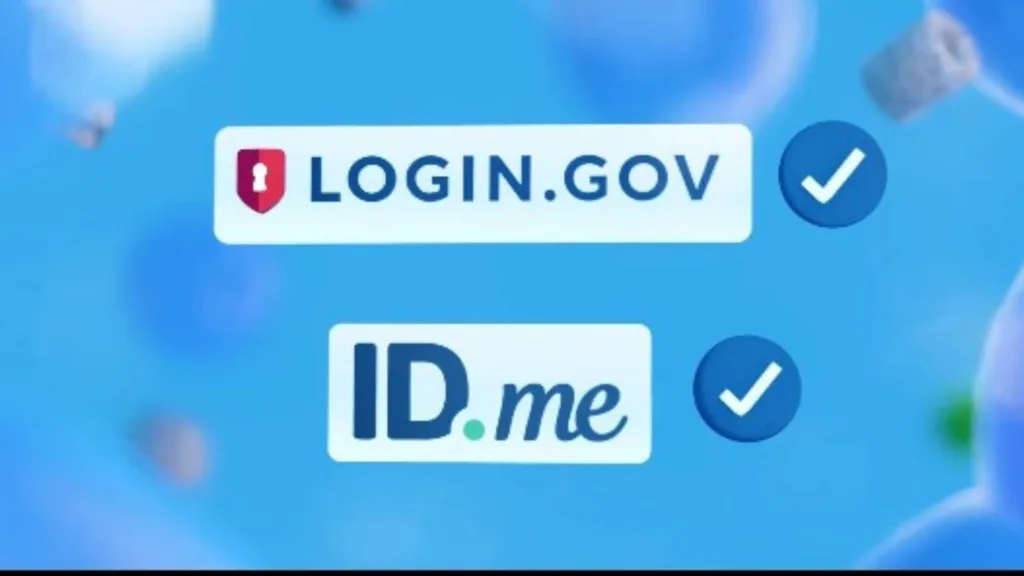
If you haven’t logged in since early 2024 or before, you will notice a significant change. The Social Security Administration has largely retired its old, direct username and password system in favor of two federally credentialed service providers: Login.gov and ID.me.
These third-party platforms act as digital bouncers, verifying your identity with high-level encryption and two-factor authentication (2FA) before letting you into the SSA system. Login.gov is generally the government’s preferred universal login for agencies like the IRS and USAJOBS, while ID.me is a private partner often used for more complex identity verification, such as video selfies or uploading a driver’s license. You must have an account with one of these two providers to access your Social Security dashboard.
Creating Your Account And Verifying Identity
If you are a new user, or if your old account has been deprecated, you will need to create a new credential. When you click “Create an Account” on the SSA sign-in page, you will be prompted to select either Login.gov or ID.me.
The registration process is rigorous by design. You will need to provide your full legal name, Social Security number (SSN), date of birth, and a valid U.S. mailing address. Furthermore, be prepared to upload a photo of your state-issued ID or driver’s license. The system may also ask “knowledge-based” questions regarding your credit history—such as “Which bank holds your auto loan?”—to prove you are who you say you are. Once this one-time setup is complete, future logins will typically just require your password and a temporary code sent to your phone.
Managing Your Benefits Dashboard
Once you have successfully signed in, the “my Social Security” portal offers a wealth of control over your financial future. You are no longer dependent on waiting for paper mail to understand your standing.
Inside the dashboard, you can view your Social Security Statement, which provides estimates of your future retirement benefits at age 62, full retirement age, and age 70. You can also download your Benefit Verification Letter (often needed for loans or housing), change your address, and update your direct deposit information for monthly payments. For those already receiving benefits, this portal is the fastest way to access your SSA-1099 form for tax season, eliminating the wait for a physical copy to arrive in the mail.

Troubleshooting Common Login Issues
It is not uncommon to hit a roadblock, such as a locked account or a forgotten password. Because the SSA now uses third-party providers, you generally cannot reset your password through the SSA site itself.
If you use Login.gov, you must go to their specific help page to reset your credentials via your email address. Similarly, ID.me has its own separate support channels for account recovery. If you are completely locked out and cannot verify your identity online (perhaps due to a lack of credit history or an expired ID), your last resort is to visit a local Social Security office in person. However, establishing these digital credentials now is highly recommended to avoid long in-person wait times later.
Frequently Asked Questions
Q: Can I still use my old Social Security username and password?
A: Likely not. Most users have been mandated to switch to Login.gov or ID.me to access their accounts securely.
Q: Is creating a “my Social Security” account free?
A: Yes. There is absolutely no cost to create an account or access your online statement.
Q: What if I don’t have a driver’s license to verify my identity?
A: You may be able to use a state ID or passport, but if online verification fails, you will need to visit a local SSA office for help.